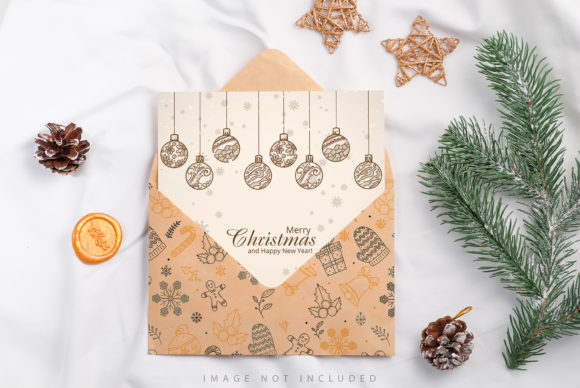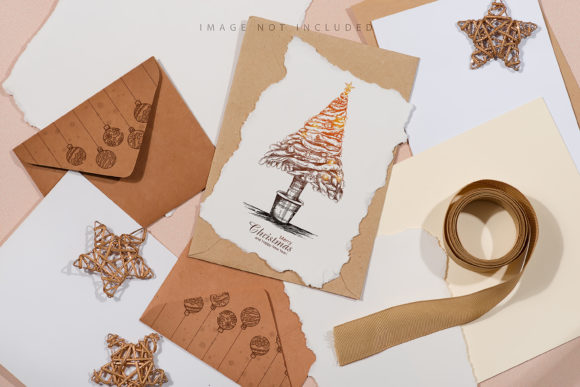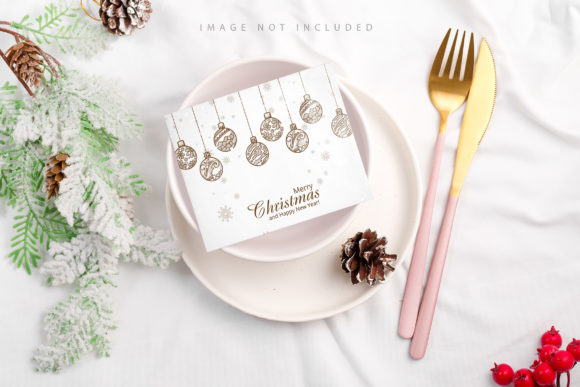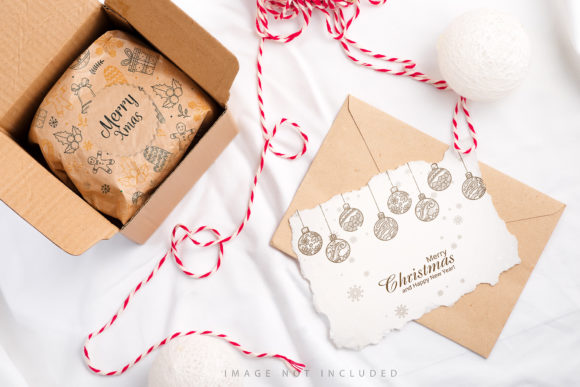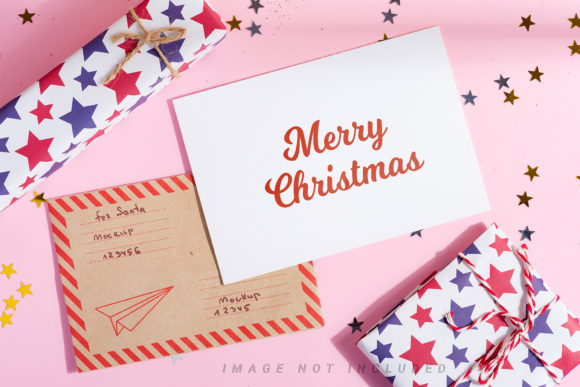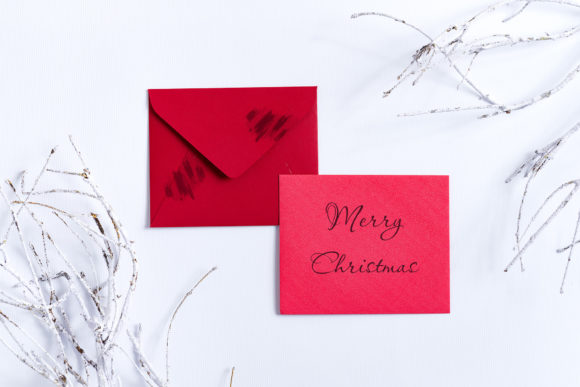
Merry Christmas Card Mockup for Creators
Creating professional holiday greetings doesn't have to require a photography studio or expensive equipment. The Merry Christmas Card Mockup is designed specifically to bridge the gap between your creative vision and a polished final product. Whether you are a small business owner looking to send personalized emails to clients, a blogger planning festive content, or a graphic designer needing high-quality assets for a portfolio, this tool simplifies the entire process.
This bundle offers a practical solution for anyone who needs to visualize their designs in a realistic setting without the hassle of staging a photoshoot. By providing full-resolution images with dedicated spaces for your work, it allows you to focus on creativity rather than technical setup. The result is a set of versatile templates that can elevate your brand's presence during the holiday season.
Why This Bundle Stands Out for Your Projects
The core value of the Merry Christmas Card Mockup lies in its simplicity and flexibility. Unlike complex 3D renderings or rigid vector files, these are high-quality photographs. This distinction is crucial because it provides authentic lighting, textures, and depth that digital-only graphics often struggle to replicate naturally. When you place your design into these mockups, the result looks like a real photo taken by a professional photographer.
One of the most significant features is the inclusion of active smart objects. In simpler terms, this means you don't need advanced Photoshop skills to get started. You simply paste your design into the designated area, save the file, and watch as your artwork wraps perfectly onto the card. It handles the perspective and shading automatically, ensuring your text and graphics look natural and integrated.
To make the workflow even smoother, each file includes a safety zone. These are subtle guide lines that indicate exactly where your design should sit to remain fully visible within the frame. If you activate the specific layer, you can see these boundaries clearly. This prevents the common mistake of placing critical elements too close to the edge, where they might get cut off when printed or viewed on different screens. Once you are comfortable with the layout, you can hide these guides for a clean view.
Where and How to Use Your Designs
The versatility of this collection makes it suitable for a wide range of applications across personal and professional landscapes. Because the mockups offer ample space for headlines and copy, they are ideal for marketing materials that need to communicate a clear message quickly.
- Social Media Marketing: Instagram and Facebook users often struggle with creating engaging visual content. You can use these mockups as eye-catching posts to announce sales, share holiday wishes, or promote new products. The high resolution ensures they look crisp on retina displays.
- Website Headers and Banners: Entrepreneurs can transform their website's homepage during December. Using the mockup as a hero image creates an immediate festive atmosphere that welcomes visitors and boosts engagement.
- Email Newsletters: For marketers and freelancers, sending a generic text email is rarely effective. Adding a visually appealing card mockup to your newsletter header can significantly increase open rates and click-throughs.
- Blogs and Magazines: Bloggers writing about holiday trends, gift guides, or DIY crafts can use these images as featured headers. They add a professional touch that keeps readers engaged as they scroll through your content.
- Print Materials: Since the files are provided at 300 DPI, they meet the standard requirements for print production. Small business owners can crop them to create physical flyers, brochures, or actual greeting cards to hand out at local events.
Practical Examples for Different Users
Imagine you are a freelance illustrator who has created a series of cute winter characters. Instead of just posting flat JPEGs on social media, you place your character art into the Merry Christmas Card Mockup. Suddenly, your illustration looks like a premium holiday card sitting on a wooden table, complete with soft shadows and realistic texture. This small change makes your work appear much more valuable to potential clients.
Similarly, consider a real estate agent who wants to send seasonal updates to their client list. By using the mockup, they can overlay their agency logo and a warm holiday message. The result is a personalized touch that strengthens relationships without requiring hours of design time. The ability to crop the full-resolution images also means you can adapt a single landscape photo into multiple vertical formats for stories or mobile views, maximizing the value of every asset.
Technical Specifications and Workflow Tips
Before you begin, it is helpful to understand the technical details included in the archive. The package contains files in both 6016 × 4016 px (landscape) and 4016 × 6016 px (portrait) orientations. This dual-format support ensures you are covered regardless of the platform you are targeting. Whether you need a wide banner for a desktop site or a tall image for a mobile story, the dimensions are ready for you.
The archive also comes with a greeting file and detailed file instructions. These documents are invaluable for beginners who might be unfamiliar with working with smart objects. They walk you through the steps of opening the file, locating the correct layer, and saving your final output. Following these instructions ensures you get the best possible quality from the template.
It is important to note that the background colors and textures are fixed; they do not change dynamically. This is a deliberate choice to maintain the photorealistic integrity of the image. Additionally, any typography applied in the preview images is not included. This gives you the freedom to choose fonts that match your brand identity perfectly. You are not limited to the sample text shown in the thumbnail.
Considerations Before You Start
While the Merry Christmas Card Mockup is user-friendly, there are a few things to keep in mind to ensure the best results. First, always work with high-resolution source files for your own designs. If you upload a low-quality image into the smart object, the final mockup will appear pixelated, defeating the purpose of the high-resolution template.
Secondly, remember that this is a photo-based template, not a 3D model. This means you cannot rotate the card or change the camera angle after the fact. However, this limitation actually works in your favor by keeping the rendering process fast and lightweight on your computer. It eliminates the need for powerful hardware or complex rendering times.
Finally, take advantage of the safety zones. Even if you think you know exactly where to place your design, double-checking the safety layer before exporting can prevent costly mistakes. It acts as a simple insurance policy against cropping errors, especially when preparing files for print.
In conclusion, whether you are a seasoned marketer or a hobbyist looking to create something special for friends and family, this bundle provides everything you need. It combines ease of use with professional quality, allowing you to produce stunning holiday visuals in minutes. By leveraging the smart object technology and the high-resolution assets, you can ensure your Christmas messages stand out in a crowded digital world.