Christmas Postcard with Mockup Letter
The holiday season demands visual content that stands out, yet many creators struggle to balance festive charm with professional clarity. This is where the Christmas Postcard with Mockup Letter becomes an indispensable asset for anyone managing a brand or creative project. Whether you are a small business owner preparing seasonal offers, a blogger drafting year-end reflections, or a marketer launching a campaign, having a versatile template can save hours of design time while ensuring your message looks polished and intentional.
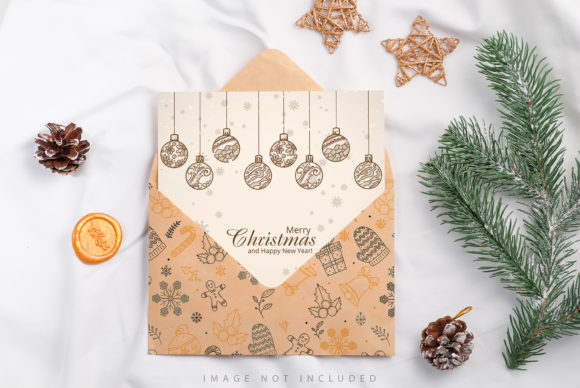
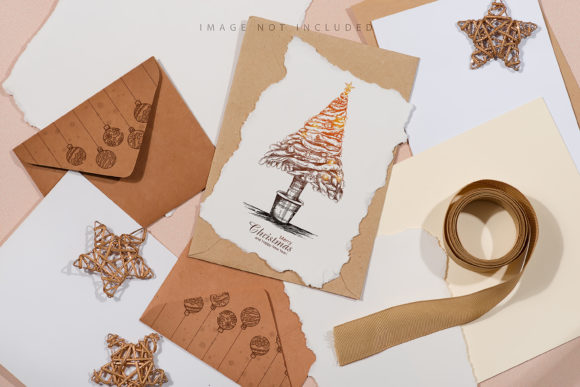
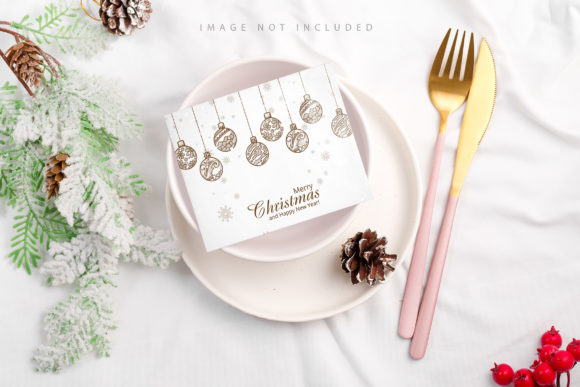
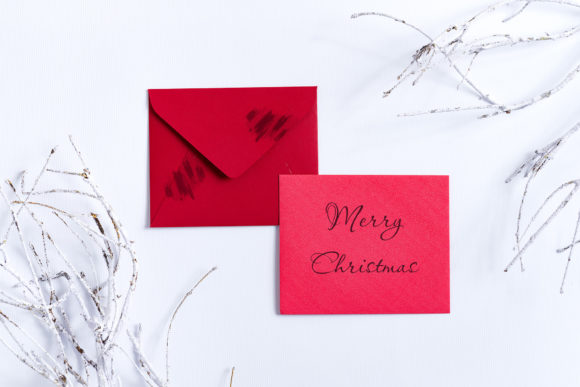
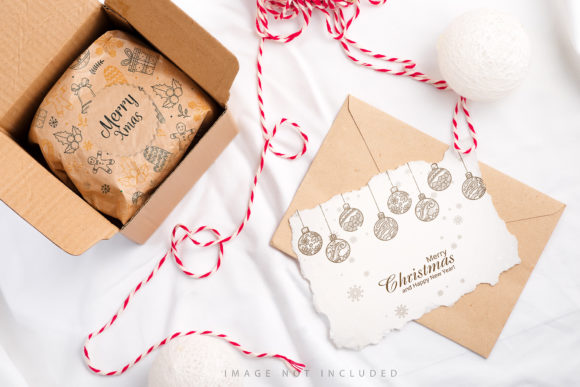
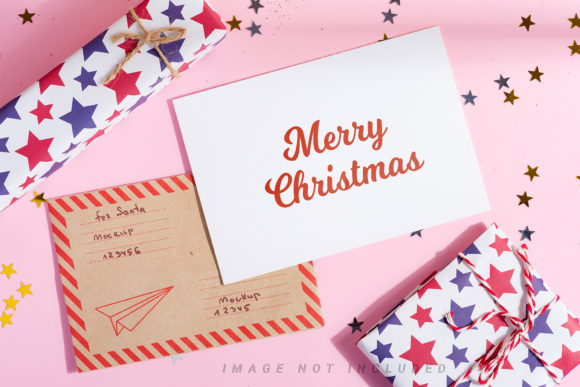
At its core, this bundle is designed to bridge the gap between imagination and execution. It features two distinct compositions: one highlighting a classic postcard paired with a mockup letter, and another showcasing the same elements surrounded by festive gift boxes. These aren't just static images; they are structured canvases intended to hold your unique voice. The layout prioritizes readability, offering generous negative space specifically allocated for your headline or body copy. This ensures that no matter how bold your typography choice is, it remains legible against the intricate holiday backdrop.
Creative Applications for Modern Professionals
The versatility of these mockups extends far beyond simple greeting cards. For entrepreneurs and freelancers, the primary use case often involves promoting limited-time holiday services or products. Imagine placing your product photography directly into the smart object layer to create a seamless advertisement that feels personal rather than corporate. The presence of the mockup letter adds a touch of authenticity, suggesting a handwritten note from a founder to a valued customer, which significantly boosts engagement rates in email marketing campaigns.
Social media managers will find particular value in the dual aspect ratios provided. With dimensions available at 6016 × 4016 pixels for landscape formats and 4016 × 6016 pixels for portrait orientations, these files adapt effortlessly to various platforms. Use the landscape version as a hero image on your website's homepage during December, or crop the portrait version for Instagram Stories and Pinterest pins. The high resolution of 300 DPI allows for significant cropping flexibility without losing quality, meaning you can extract specific details like the texture of the paper or the ribbon on a gift box to use as standalone background textures for other projects.
Educators and bloggers can utilize these designs to create visually engaging headers for their end-of-year newsletters or blog posts. Instead of generic stock photos that clutter the screen, a clean, well-composed postcard mockup draws the reader's eye immediately to the title. The "Safety Zone" feature is particularly useful here. By activating the safety zone layer, designers can ensure that critical text or logos never get obscured by the edges of the frame or the folds of the paper, maintaining a professional aesthetic across all devices.
Streamlining Your Workflow with Smart Objects
One of the most practical benefits of this bundle is the integration of active smart objects. In the world of graphic design, efficiency is key, especially when deadlines loom closer during the busy holiday season. The process is straightforward: simply paste your design into the designated smart object layer and save. The software automatically updates the main composition, applying perspective, lighting, and shadows instantly. There is no need to manually warp or blend layers, which eliminates the risk of distortion and saves valuable editing time.
The inclusion of a safety zone further simplifies this workflow. This feature defines a specific area within the smart object where content is safe from being cut off or distorted by the surrounding environment. If you need to see the boundaries of this safe area, you can easily activate the corresponding layer to view the guide lines. Once your placement is confirmed, you can deactivate the guide to focus purely on the final result. This level of control ensures that whether you are dropping in a logo, a promotional code, or a full-color illustration, it lands exactly where it should.
Tailoring Designs for Diverse Audiences
Different audiences respond to different visual cues, and a single design approach rarely works for everyone. When using the Christmas Postcard with Mockup Letter, consider the context of your delivery. For a B2B audience, such as fellow entrepreneurs or corporate partners, a minimalist approach works best. Focus on the mockup letter aspect, using the white space to convey a clear, concise message about partnership opportunities or industry insights. Avoid overcrowding the frame with too many decorative elements.
In contrast, consumer-facing brands might lean into the gift box variation. This composition naturally evokes feelings of giving and celebration. It is ideal for e-commerce stores running flash sales or subscription box services. The gift boxes serve as a visual metaphor for the product inside, creating an immediate association between the packaging and the purchase. Because the background color does not change automatically, you have the freedom to maintain your brand's color palette by adjusting the text and overlay elements, ensuring consistency even as the imagery shifts.
For hobbyists and creatives sharing their work, these mockups offer a way to present portfolios or tutorials professionally. A photographer can showcase a series of winter portraits within the postcard frame, while a writer can display excerpts from a new book alongside the letter mockup. The key is to treat the mockup as a stage set, not the star of the show. Your content must be strong enough to carry the weight of the festive theme without getting lost in the decorations.
Technical Considerations for Best Results
To maximize the value of this archive, it is important to understand the technical specifications. Each file is provided at full resolution, allowing for high-quality printing if you decide to produce physical mailers or print materials for local events. However, for digital use, the 300 DPI quality ensures that your images look crisp on Retina displays and large monitors alike. Remember that this is a photo-based mockup, not a vector or 3D render. This means the lighting and shadows are realistic, but the underlying background color is fixed. You cannot simply change the color of the paper or the wall behind the postcard; instead, you must rely on the smart object layer to introduce your own colors and graphics.
The archive also includes comprehensive file instructions and a greeting file to help you get started quickly. If you are new to working with Photoshop smart objects, take a moment to review the documentation included in the download. Understanding how to navigate the layer structure and how to manage the safety zones will prevent frustration later on. Additionally, keep in mind that any design applied to the typography is not included in the package. You are responsible for selecting fonts that match your brand identity and tone, ensuring that the final output feels cohesive and original.
Ultimately, the goal of using these mockups is to elevate your communication. In a sea of generic holiday greetings, a well-crafted postcard with a thoughtful letter creates a connection. It signals that you have put effort into your message, which resonates deeply with audiences who are tired of automated, impersonal content. By leveraging the smart object technology and the flexible layouts provided, you can produce professional-grade visuals that drive engagement, foster community, and celebrate the season with style.