Colorful Cake Macaron on Blue Mockup: A Practical Evaluation for Designers
In the competitive landscape of digital marketing and product branding, visual presentation is often the deciding factor between a casual browser and a committed customer. For businesses specializing in confectionery, bakeries, or custom cake design, the ability to showcase products with high fidelity is essential. The Colorful Cake Macaron on Blue Mockup serves as a specialized tool designed to bridge the gap between raw product photography and polished marketing assets. This evaluation explores the functionality, technical specifications, and strategic applications of this specific mockup file to help designers and business owners determine if it aligns with their project requirements.
Understanding the Product Definition
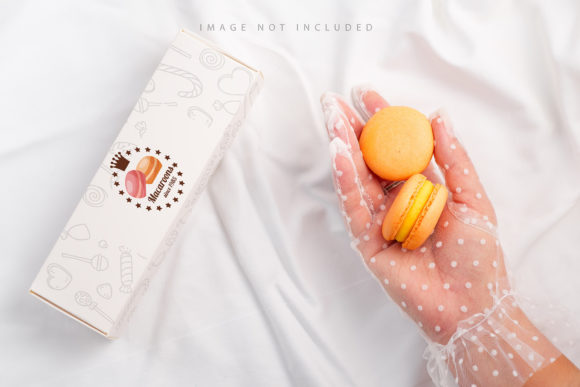
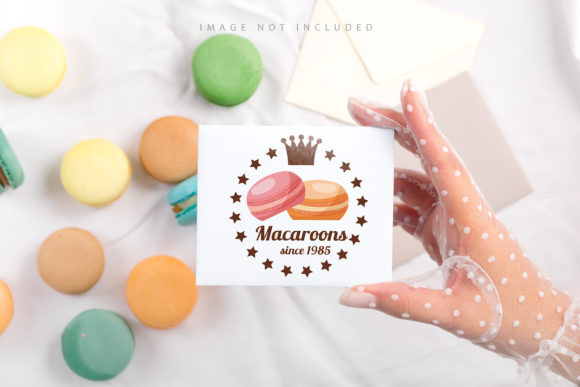
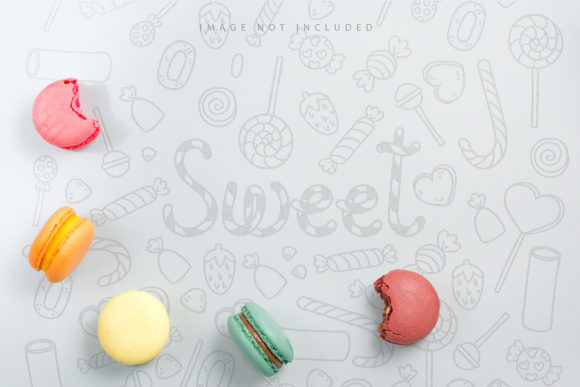
The Colorful Cake Macaron on Blue Mockup is a high-resolution Photoshop document (.psd) intended to simulate a realistic display of macarons against a blue background. Unlike generic templates that offer vague placeholders, this asset is tailored specifically for food photography and graphic design workflows. It utilizes an active smart object layer, which allows users to paste their own design files directly into the template. Once the design is pasted and saved, the software automatically applies perspective, lighting, and texture adjustments to blend the flat image seamlessly onto the mockup surface.
A critical component of this file is the inclusion of safety zones. These are defined boundaries within the smart object layer that indicate where content should be placed to ensure no vital elements are cropped out during the final rendering. By activating specific layers, designers can visualize these lines, ensuring that text, logos, or central design elements remain visible and legible in the final composition. This feature addresses a common pain point in mockup usage: the risk of important details being lost due to incorrect scaling or positioning.
Technical Specifications and Workflow Integration
When evaluating any design asset, technical compatibility is paramount. This mockup file offers a resolution of 6016×4016 pixels at 300 DPI. This level of detail ensures that the output is suitable for both high-quality print materials, such as brochures and packaging, and high-definition digital displays, including social media posts and website banners. The 300 DPI standard guarantees sharpness when printed, preventing pixelation that can undermine the perceived quality of a bakery's brand.
The workflow is streamlined through the use of Smart Objects. Users do not need advanced knowledge of complex blending modes or manual perspective warping. The process involves opening the .psd file, locating the designated smart object layer, and pasting the design. Saving the file triggers the automatic transformation. However, it is important to note that this is a photo-based mockup, not a 3D model or vector graphic. Consequently, the lighting and shadows are pre-rendered based on the original photograph. While this provides realism, it also means that the background color and ambient lighting conditions are fixed.
Strategic Benefits for Confectionery Brands
Why would a designer or business owner choose this specific asset over others? The primary advantage lies in its ability to convey vibrancy and appetite appeal. The combination of colorful macarons against a blue backdrop creates a strong visual contrast that draws the eye. In the context of food marketing, color psychology plays a significant role; blue backgrounds can provide a clean, cool counterpoint to the warm, sweet tones of cakes and sweets, making the product pop without competing for attention.
- Efficiency: The smart object system reduces hours of manual editing into seconds, allowing teams to generate multiple variations quickly.
- Consistency: Using a standardized mockup ensures that all marketing materials maintain a cohesive look and feel across different platforms.
- Professionalism: High-resolution outputs elevate the perceived value of the brand, suggesting a commitment to quality and attention to detail.
Furthermore, the inclusion of documentation within the file helps users navigate the interface, reducing the learning curve for those less familiar with Photoshop's layer systems. The explicit instruction regarding typography is also crucial; the design applied to the mockup does not include pre-set text. This prevents copyright issues and allows the user to apply their own branding language, ensuring full control over the messaging.
Limitations and Considerations
While the Colorful Cake Macaron on Blue Mockup offers significant advantages, it is not a universal solution. One of the most notable tradeoffs is the lack of flexibility regarding the environment. Since the background or design color does not change, users cannot alter the blue hue to match a different brand palette without using external editing tools. If a brand's identity relies heavily on a specific shade of pink or yellow, this mockup may require additional post-processing to achieve the desired aesthetic.
Additionally, because the file is a photo rather than a 3D render, the lighting is static. If a user needs to simulate a different time of day or a change in light source direction, they cannot simply adjust a slider in the mockup file. They must rely on Photoshop's adjustment layers, which requires a higher skill set. Another consideration is the scope of application; this mockup is specifically designed for macarons and similar small cakes. It is not suitable for larger cakes, cupcakes, or non-food items, limiting its versatility compared to more general-purpose dessert templates.
Situational Fit and Alternatives
This asset is a strong fit for businesses that prioritize speed and visual impact for a specific product line. It is ideal for social media campaigns launching a new flavor of macarons, email newsletters featuring seasonal treats, or packaging design proofs where the product shape remains consistent. The safety zone feature makes it particularly useful for agencies managing multiple clients, as it minimizes the risk of errors when handing off files to junior designers.
However, there are situations where alternatives may be worth considering. If a brand requires a fully customizable environment—where the table, background, and lighting can be manipulated entirely—a 3D mockup service might be a better investment. Similarly, if the goal is to showcase a wide variety of cake sizes and shapes beyond macarons, a multi-purpose cake mockup bundle would offer greater long-term value. For users who need to change the background color dynamically without leaving the file, a PSD created with advanced blending modes or a 3D-compatible format would be more appropriate.
Decision-Making Insights
Selecting the right mockup ultimately depends on the specific goals of the project. Designers should ask themselves if the fixed blue background complements their current campaign or if it clashes with existing brand guidelines. They must also assess their technical comfort level; while the smart object process is simple, understanding how to work around the limitations of a static photo is necessary for optimal results.
For those seeking a quick, high-quality way to present macaron designs without investing time in 3D modeling, the Colorful Cake Macaron on Blue Mockup represents a practical choice. Its high resolution, clear safety zones, and straightforward workflow make it a reliable tool for professional presentations. However, users should approach it with the understanding that it is a specific solution for a specific problem, rather than a catch-all template for all baking-related design needs. By weighing the benefits of efficiency against the constraints of a fixed environment, stakeholders can make an informed decision that best supports their creative objectives.