Festive Holiday Mockup Cards: A Practical Guide to Streamlining Your Seasonal Design Workflow
In the fast-paced environment of modern content creation, time is the most valuable asset. Whether you are a social media manager managing multiple client accounts, a small business owner launching a holiday promotion, or a freelancer juggling tight deadlines, the ability to produce high-quality visual assets quickly is essential. This is where Festive Holiday Mockup Cards become more than just a decorative resource; they serve as a critical component in an efficient design workflow. These assets provide a structured foundation that allows creators to focus on their core message rather than struggling with background composition and lighting effects.
Understanding the Asset Within the Creative Process
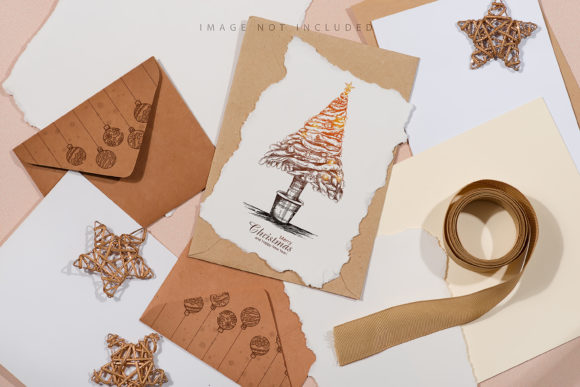
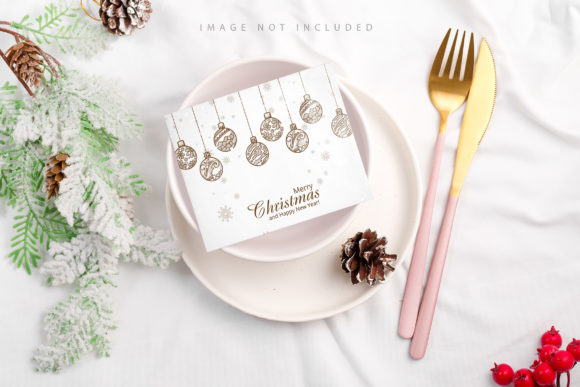
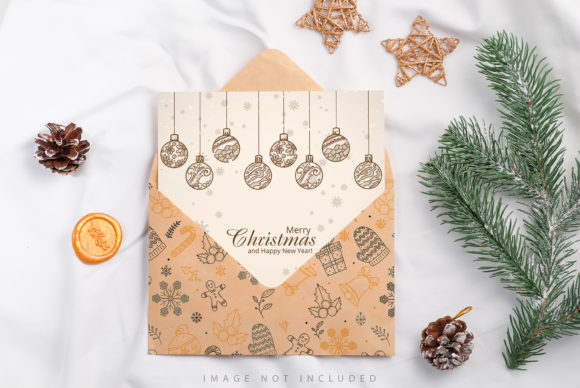
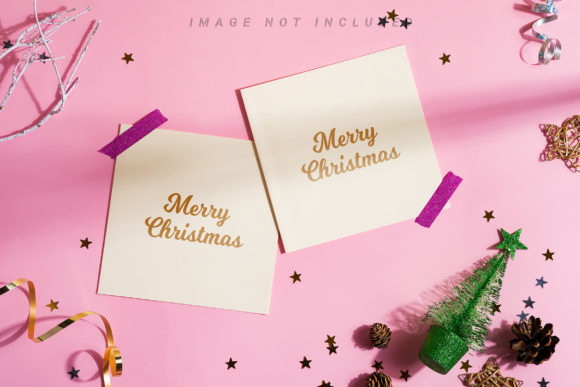
The Festive Holiday Mockup Cards bundle is designed with a specific aesthetic in mind: a flat lay composition featuring festive holiday corner frames, Christmas decorations, and natural frost twigs set against a pastel pink background. While this description sounds purely artistic, its true value lies in its utility for professional workflows. The inclusion of ample copy space is not accidental; it is a deliberate design choice intended to facilitate text-heavy layouts common in blog headers, Instagram posts, and digital greeting cards.
Unlike generic stock photos that require extensive cropping and masking to fit a specific layout, these mockups come pre-structured. They act as a "safety net" for designers. The files include active smart objects with designated safety zones. These zones are crucial for maintaining consistency across different platforms. By adhering to the safety lines provided within the smart object layer, you ensure that your logo, headline, or product image remains visible regardless of how the final image is cropped for various screen sizes. This feature significantly reduces the back-and-forth editing required during the quality control phase of a project.
Integration into Pre-Project Planning
Effective planning begins before a single pixel is placed on the canvas. When strategizing a holiday campaign, marketers often need to visualize how their content will look before production begins. Using Festive Holiday Mockup Cards at this stage allows teams to create realistic previews of their campaigns. You can drop draft designs into the smart object layers to present concepts to stakeholders or clients. This visualization step helps identify potential issues with readability or spacing early in the process, preventing costly revisions later.
For educators and bloggers, this preparation phase is equally important. If you are planning a series of holiday-themed articles or lesson plans, having a consistent header style established from the start ensures brand cohesion. The bundle's versatility allows you to use the same background assets for both vertical social media stories and horizontal website banners, creating a unified visual identity without needing to source new imagery for every platform.
Execution: Maximizing Efficiency During Production
Once the plan is set, the execution phase demands speed and precision. The technical specifications of these mockups—6016 × 4016 px and 4016 × 6016 px at 300 DPI—are engineered to support high-resolution output. This means you can crop the images to any aspect ratio required by your target audience without sacrificing clarity. Whether you are printing physical greeting cards or displaying high-definition graphics on large monitors, the 300 DPI resolution ensures professional quality.
The workflow for integrating your designs is streamlined through the use of Smart Objects. In Adobe Photoshop, for instance, you simply paste your design into the designated layer. The system automatically handles the scaling and positioning relative to the safety zone. This eliminates the manual adjustment of perspective or lighting that would typically be required when placing a 2D image onto a 3D-looking surface. It is important to note that these are high-quality photographs, not 3D renders or vectors. Consequently, the background and design colors do not change dynamically based on lighting simulations, which provides a stable canvas for your work. This stability is vital for maintaining color accuracy in branding materials.
- Preparation: Ensure your source design matches the aspect ratio of the smart object to avoid unnecessary stretching.
- Implementation: Activate the safety zone layer to see the boundaries where your content must remain visible.
- Quality Control: Export the final file in the highest resolution available to maximize versatility for future repurposing.
Adapting to Diverse Use Cases
The strength of this bundle lies in its adaptability across different industries. For entrepreneurs and small business owners, these mockups can transform a simple promotional flyer into a polished marketing asset. The pastel pink background offers a softer, more inviting alternative to traditional stark white or deep red holiday themes, making it suitable for brands targeting a female demographic or those looking for a modern, minimalist aesthetic.
Freelancers and agencies can leverage these assets to deliver rapid turnaround times. Instead of spending hours building a scene from scratch using complex lighting tools, a designer can import the mockup, swap the smart object, and save the file. This efficiency allows for more time to be spent on strategy and creative direction. Furthermore, the archive includes file instructions, which serves as a valuable resource for team members who may be less familiar with advanced photo editing software. Clear documentation reduces the learning curve and ensures that the entire team can utilize the assets effectively.
Long-Term Value and Asset Management
In the realm of digital assets, longevity is often overlooked. Many seasonal resources are discarded once the holiday season ends. However, Festive Holiday Mockup Cards offer long-term value due to their neutral yet festive nature. The combination of natural frost twigs and a pastel palette creates a timeless look that can be reused year after year or adapted for other winter-themed projects, such as New Year's celebrations or corporate end-of-year reports.
Organizing these files correctly is part of a sustainable workflow. Since the archive includes full-resolution versions, you can maintain a master library of your best-performing designs. If a specific mockup layout resonates well with your audience on Instagram or your website, you can replicate that success by creating variations with different copy while keeping the proven background structure. This approach fosters consistency, a key factor in building brand recognition over time.
Additionally, the "copy space" feature mentioned in the design specs is not merely about leaving empty room; it is about strategic placement. It guides the viewer's eye naturally toward the most important information. When used in blog posts or magazines, this layout prevents clutter, ensuring that the text remains legible and the message is delivered clearly. This adherence to good design principles enhances user experience, whether the audience is scrolling through a mobile feed or reading a printed newsletter.
Technical Considerations for Seamless Integration
To get the most out of this toolset, users should understand the distinction between the active smart object and the safety zone. The safety zone acts as a guide, defining the area where content is guaranteed to be visible in the final composition. By activating the layer that displays these lines, you can visually confirm that your design elements are secure. Once you are satisfied with the placement, you can deactivate the visibility of the safety zone layer before exporting, resulting in a clean, professional final image.
It is also worth noting that because the background is a photograph, the texture and depth are realistic. This adds a layer of authenticity that vector graphics often lack. When presenting designs to clients, this realism can help them better visualize the final product, leading to faster approvals and smoother project progression. The files are compatible with standard industry software, allowing for easy integration into existing design stacks without the need for specialized plugins or converters.
Ultimately, the goal of any creative workflow is to balance artistic expression with operational efficiency. Festive Holiday Mockup Cards bridge this gap by providing a robust framework that supports both. By reducing the technical overhead of background creation, creators can dedicate more energy to the substance of their work—the story they want to tell, the product they want to sell, or the message they want to share. In a landscape filled with noise, these tools offer a clear path to producing standout holiday content that is both visually appealing and strategically sound.
Whether you are preparing for a major holiday launch or simply looking to refresh your social media presence, integrating these mockups into your routine can yield immediate improvements in productivity and output quality. The combination of high resolution, smart object functionality, and thoughtful design makes this bundle an indispensable tool for professionals who demand excellence in their daily operations.